Best Under-Desk Cable Management Solutions (2026)
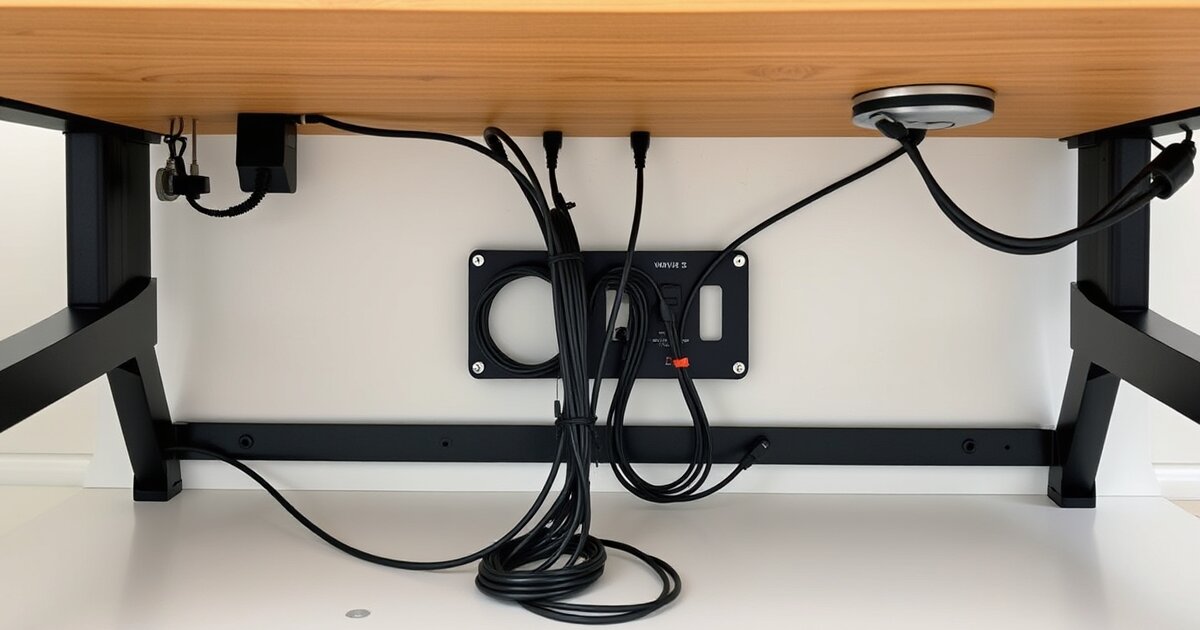
Cable management is the difference between a setup that looks professional and one that looks like a server room exploded. Whether you're setting up a Mac Mini AI workstation or just organizing your daily workspace, the good news is you can transform any desk for under $30 with the right products.
Here's my tested cable management system, from the single most impactful item to the finishing touches.
The Essential Cable Management Kit
| Product | Price | What It Does | Impact |
|---|---|---|---|
| Under-Desk Cable Tray | $14-25 | Holds power strip + excess cable | 🔥🔥🔥 |
| Cable Sleeve (6ft) | $8-12 | Bundles cables from desk to wall | 🔥🔥🔥 |
| Cable Clips (20-pack) | $6-10 | Routes cables along desk edge | 🔥🔥 |
| Cable Raceway | $12-18 | Covers cables on walls | 🔥🔥 |
| Velcro Cable Ties | $6 | Bundles and organizes cables | 🔥 |
1. Under-Desk Cable Tray — The #1 Upgrade
If you buy one cable management product, make it an under-desk cable tray. It's a mesh or metal basket that mounts under your desk (usually with screws or clamp). You put your power strip, chargers, and excess cable length inside it — everything disappears. This works especially well with standing desks since the tray moves with the desk height.
Best pick: The VIVO Under-Desk Cable Tray ($14) is the best-seller for good reason. 16" mesh basket, easy clamp mounting (no screws needed for 1" thick desks), and fits standard 6-outlet power strips perfectly.
2. Cable Sleeves — Bundle the Mess
A cable sleeve takes 5-10 individual cables and wraps them into one clean bundle. Use a 6-foot sleeve from your desk down to the wall outlet. The split-tube design lets you add or remove cables without disconnecting anything.
Best pick: JOTO Cable Management Sleeve ($9 for 2-pack). Split design, expandable, covers up to 10 cables. One for desk-to-wall, one for desk-to-monitor.
3. Cable Clips — Route the Runners
Adhesive cable clips stick to the back edge of your desk and hold individual cables (monitor, keyboard, charger) in place. They prevent cables from falling behind your desk when you unplug them — a small but satisfying improvement.
Best pick: OHill Cable Clips (16-pack, $7). Strong 3M adhesive, multiple sizes for different cable thicknesses, removable without damage.
4. Cable Raceways — Wall Coverage
If cables run along your wall (from desk to outlet or between desk and router), a cable raceway covers them with a clean, paintable channel. Adhesive-backed, no drilling required.
Best pick: D-Line Cable Raceway Kit ($16). Includes straight channels, corners, and end caps. Paintable to match wall color.
5. Velcro Cable Ties — The Secret Weapon
Use Velcro ties (not zip ties!) to bundle cables behind your monitor, under your desk, and at the power strip. Velcro is reusable — when you add or swap a device, you just unwrap, adjust, and re-wrap. Zip ties require cutting and replacing.
Best pick: VELCRO Brand ONE-WRAP Cable Ties (100-pack, $6). You'll use them everywhere once you start.
Cable Management for Standing Desks
Standing desks need extra consideration because cables must accommodate height changes. Here's the approach:
- Mount the cable tray to the desk frame (not the wall) so it moves with the desk
- Leave enough cable slack for the full height range — coil excess in the tray
- Use a cable chain (like the VIVO Cable Spine, $12) from desk frame to floor — it flexes as the desk moves
- Avoid adhesive clips on the wall near a standing desk — the cable movement will pull them off
📚 Related Articles
Get our best setup tips and product picks each week.
Get the free newsletter →