15 Desk Accessories That Actually Boost Productivity (Not Just Look Cool)
Last updated: February 16, 2026 · Prices may vary
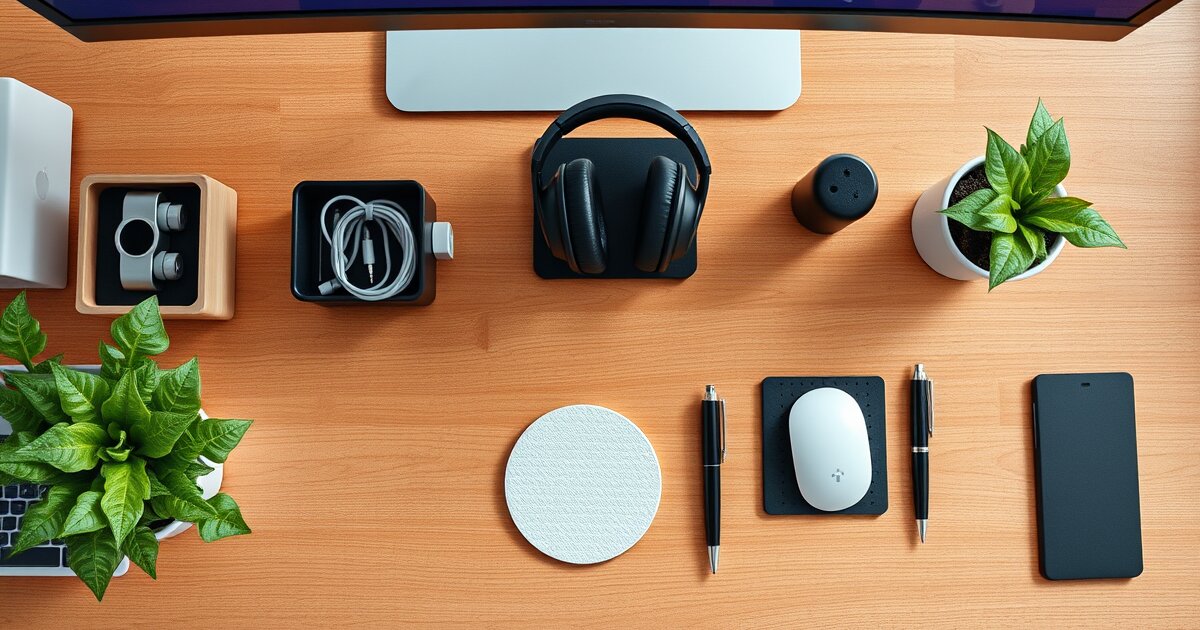
Most "desk accessories" listicles are filled with LED strip lights, miniature zen gardens, and $8 cable clips from Temu. They look great on TikTok. They don't make you more productive.
This list is different. Every item here either reduces friction (fewer cables, faster access), improves comfort (less strain, better posture), or removes distractions (cleaner desk, fewer interruptions). I've used all 15 in my own home office setup.
Organized from most impactful to nice-to-have.
Tier 1: The Game-Changers
1. Monitor Arm — Ergotron LX
A monitor arm is the single most impactful desk accessory you can buy. It raises your screen to eye level (reducing neck strain), frees up the entire footprint where your monitor stand used to sit, and lets you push the screen back for the optimal viewing distance.
The Ergotron LX is the gold standard. It's been the default recommendation for a decade because nothing else matches its build quality, smooth articulation, and cable management. Holds monitors up to 34 inches / 25 lbs.
Why it boosts productivity: Proper monitor height reduces neck and shoulder fatigue. You maintain better posture, which means you last longer before needing a break. The reclaimed desk space is a bonus.
Monitor Arm + Desk Pad combo
If you buy only two things from this list, get a monitor arm and a desk pad. Together they cost under $175 and completely transform how your desk feels and functions.
2. USB-C Docking Station — CalDigit TS4
If your monitor doesn't have USB-C, a docking station is the next best thing for the one-cable lifestyle. Plug one Thunderbolt/USB-C cable into your laptop and it connects to your monitor(s), keyboard, mouse, webcam, ethernet, audio, and charges your laptop — all simultaneously.
The CalDigit TS4 is expensive but absurdly capable: 18 ports, including 2.5Gb ethernet, SD card reader, three Thunderbolt 4 downstream ports, and 98W laptop charging. It replaces an entire desk's worth of dongles and adapters.
Budget alternative: Anker 575 USB-C Hub (~$60) handles the basics at a fraction of the price.
Why it boosts productivity: Eliminates the 2-minute plugging-in ritual every morning. Sit down, plug in one cable, everything works.
3. Desk Pad — Orbitkey Desk Mat
A good desk pad protects your desk surface, provides a comfortable base for your mouse and keyboard, dampens typing noise, and makes your whole setup look intentional. It's the desk equivalent of a good rug in a room.
The Orbitkey stands out for its magnetic cable holder strip along the top edge — it keeps your charging cables from sliding off the desk. Vegan leather top, anti-slip rubber bottom, and the right amount of cushion for wrist comfort.
Budget alternative: Any felt or leather desk pad from Amazon in the $15-25 range works well. Avoid thin neoprene pads — they slide.
Why it boosts productivity: Desk pads reduce visual clutter (unified surface), dampen noise (better for calls), and the tactile surface is more comfortable than bare desk for your wrists.
4. Cable Management Tray — J Channel
The simplest, cheapest, most effective cable management solution. Screw a J-channel tray to the underside of your desk and route all cables through it. Every cable disappears from view. Total install time: 10 minutes.
Buy two: one for the back edge (power cables) and one midway (USB cables to your monitors/dock). Add a few velcro ties to bundle cables together, and your under-desk area goes from spaghetti to invisible.
Why it boosts productivity: A tangle-free desk is a distraction-free desk. Sounds minor, but visual clutter genuinely increases cognitive load. Clean desk, cleaner thinking.
5. Monitor Light Bar — BenQ ScreenBar Halo
A monitor light bar sits on top of your screen and illuminates your desk without creating glare on the monitor. It's the single best upgrade for reducing eye strain during evening work sessions.
The BenQ ScreenBar Halo adds a backlight that illuminates the wall behind your monitor, reducing the contrast between your bright screen and dark surroundings. The wireless controller puck on your desk lets you adjust brightness and color temperature without leaving your keyboard.
Budget alternative: Xiaomi Mi Light Bar (~$50) — 80% of the quality at 30% of the price.
Why it boosts productivity: Proper desk lighting reduces eye fatigue and headaches, letting you work comfortably for longer. The auto-brightness sensor adjusts throughout the day.
Tier 2: Quality-of-Life Upgrades
6. Desk Shelf / Monitor Riser — Grovemade Desk Shelf
If you don't want a monitor arm, a desk shelf raises your monitor to eye level while creating storage underneath. Stash your keyboard, notebook, or dock in the space below. The Grovemade is gorgeous (walnut + steel), but IKEA's ELLOVEN (~$30) does the job for less.
7. Webcam — Logitech Brio 500
Built-in laptop webcams are universally terrible. The Brio 500 upgrades you to 1080p with auto-framing, proper exposure in low light, and a physical privacy shutter. If you're on video calls more than twice a week, this pays for itself in professional appearance.
Why it boosts productivity: Confidence in your video quality means less fussing with angles and lighting before calls. The Show Mode feature lets you tilt it down to show your desk (great for demos).
8. Headphone Stand / Hanger — Lamicall
Your headphones are either on your head or taking up desk space. A simple under-desk hanger or desktop stand gives them a home. The Lamicall aluminum stand looks clean and is weighted enough to not topple over.
9. Keyboard Wrist Rest — Glorious Gaming Padded
If you type for hours, a wrist rest prevents your wrists from hyperextending on a flat desk. Memory foam with a smooth cloth surface is the ideal combo. The Glorious Gaming wrist rest is the go-to for mechanical keyboard users — it comes in TKL and full-size widths.
10. Standing Desk Mat — Topo by Ergodriven
If you use a standing desk, a standing mat is mandatory. The Topo's terrain-like surface encourages micro-movements throughout the day — shifting your weight, stretching your calves, and rocking between positions. It makes standing genuinely comfortable instead of a endurance test.
(Full review: Best Standing Desk Mats)
Tier 3: Nice-to-Have Refinements
11. Desk Drawer — Under-Desk Pull-Out Tray
Most standing desks don't have drawers. An adhesive-mount under-desk tray gives you a hidden spot for pens, sticky notes, chapstick, and the random stuff that otherwise clutters your surface. Mount it with screws for permanence or 3M adhesive for rental-friendly installation.
12. Footrest — Humanscale FR300
If your chair is slightly too high (or your desk slightly too low), a footrest closes the ergonomic gap. It reduces pressure on your thighs and improves blood circulation. The Humanscale FR300 has a tilting surface that encourages leg movement.
13. Wireless Charger — Anker 315
Drop your phone face-down on a wireless charger, and it becomes harder to check compulsively. It's a productivity hack disguised as a convenience accessory. The Anker 315 is reliable and cheap enough to be disposable.
14. Desk Plants — Pothos or Snake Plant
This isn't just vibes. Research from multiple studies shows that desk plants reduce stress, improve air quality perception, and boost subjective well-being. Pothos and snake plants are nearly impossible to kill. One small pot on your desk adds life to the space — literally.
15. Noise Machine / White Noise — LectroFan
If you work from home with kids, roommates, or a noisy street, a white noise machine creates a sound cocoon. The LectroFan has 20 sound options (fan sounds, white/pink/brown noise) and masks distracting sounds without requiring headphones. Place it between you and the noise source for best effect.
Free alternative: mynoise.net or the Brown Noise playlist on Spotify.
The Complete Setup: What to Buy First
If you're starting from scratch, here's the order I'd recommend:
- Monitor arm ($130) — Biggest ergonomic impact
- Cable management tray ($12) — Instant desk cleanup
- Desk pad ($15-65) — Comfort + aesthetics
- Monitor light bar ($50-180) — Eye strain reduction
- Webcam ($100) — If you do video calls
- Everything else — As budget allows
Total for the essentials (items 1-4 with budget picks): under $210. That's less than a single Herman Miller armrest and will make a bigger daily impact than most $500 upgrades.
What We Deliberately Left Off This List
LED strip lights: They look great in photos. They don't make you more productive. Buy them for fun, not for work.
Desk toys / fidget gadgets: Some people swear by them. In my experience, they're more distraction than aid. Your mileage may vary.
Mini-fridges: If getting up for a drink is your bottleneck, the problem isn't your desk accessories.
Expensive pen holders: You work on a computer.
Building your home office setup? Check out our other guides:
- Best Standing Desks 2026
- Best Ergonomic Chairs Under $500
- Best Monitors for Working From Home
- How to Set Up an Ergonomic Home Office
- Best Desk Organizer Accessories
- Best Noise Cancelling Headphones
Frequently Asked Questions
What desk accessories actually improve productivity?
Monitor arms, cable management trays, desk pads, and a good desk lamp have the biggest impact. Monitor arms free up desk space and improve ergonomics. Cable management reduces visual clutter that causes distraction.
Is a desk pad worth it?
Yes. A quality desk pad protects your desk surface, provides a comfortable writing/mousing surface, reduces noise, and makes your workspace look more organized. They're one of the best sub-$30 desk upgrades.
What is the most underrated desk accessory?
A monitor light bar. For under $40, it eliminates screen glare, reduces eye strain, and frees up desk space compared to a traditional desk lamp. The BenQ ScreenBar is the gold standard.
Get our best setup tips and product picks each week.
Get the free newsletter →