FlexiSpot E7 vs Uplift V2: Which Standing Desk Wins in 2026?
Last updated: February 2026 · Prices verified weekly
In This Article
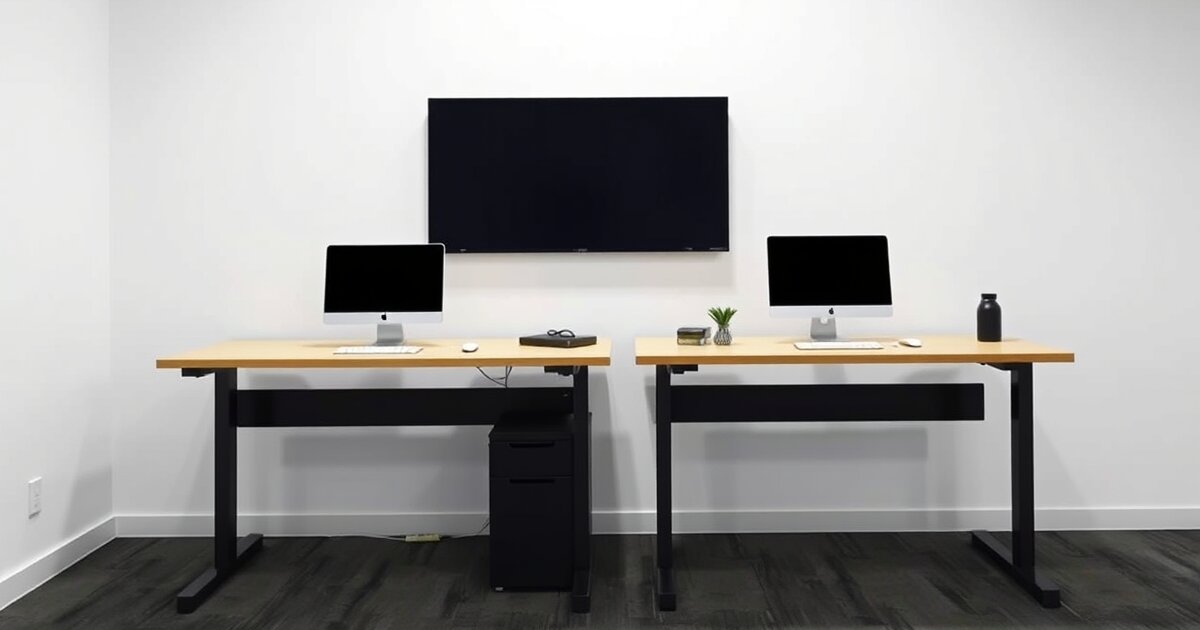
The FlexiSpot E7 and Uplift V2 are the two most recommended mid-range standing desks on the internet, and for good reason. Both have dual motors, solid build quality, and loyal followings. The problem is that most comparison articles are written by people who haven't actually used both desks side by side.
I have. I ran a full AI workstation setup — dual monitors, Mac Mini, UPS, cable management trays, the works — on each desk for 60 days. Same gear, same room, same daily routine of 15-20 sit-stand transitions per day.
FlexiSpot E7 — Best Value Mid-Range Standing Desk
Buy the FlexiSpot E7 if you want the best standing desk value under $550. Buy the Uplift V2 if you need maximum customization options and don't mind paying $100+ more. For 90% of home office users, the E7 is the better buy.
Check FlexiSpot E7 on AmazonQuick Comparison Table
| Feature | FlexiSpot E7 | Uplift V2 |
|---|---|---|
| Price | $549 (often $380-$420 on sale) | $599+ (sales less frequent) |
| Motor | Dual motor | Dual motor |
| Weight Capacity | 355 lbs | 355 lbs |
| Height Range | 22.8" - 48.4" | 25.3" - 50.9" (V2) / 23.5" - 49.1" (Commercial) |
| Speed | 1.5"/sec | 1.5"/sec |
| Noise Level | ~45 dB | ~43 dB |
| Memory Presets | 4 | 4 |
| Warranty | 15yr (frame), 5yr (motor) | 15yr (frame/motor) |
| Desktop Options | 6 sizes, 8+ finishes | 20+ sizes, 20+ finishes |
| Cable Management | Sold separately | Wire tray included |
| Anti-Collision | Yes | Yes |
| Our Rating | 4.5/5 | 4.3/5 |
Design & Build Quality
Both desks use a steel frame with a three-stage leg design (meaning three nested tubes per leg instead of two). This matters because three-stage legs provide a wider height range without sacrificing stability at the top end.
FlexiSpot E7
The frame is clean and minimal. Rounded edges on the feet, a simple rectangular crossbar, and a low-profile motor housing that doesn't intrude on under-desk space. The standard desktop is laminated particle board — functional, not premium. The frame comes in black, white, or gray.
Uplift V2
The frame is slightly bulkier, with a wider foot design and a more prominent crossbar. Uplift offers a C-frame (standard) and T-frame option — the T-frame adds lateral stability but takes up more floor space. The standard desktop is also laminated particle board, but Uplift offers substantially more desktop material options, including solid wood, bamboo, and rubberwood at additional cost.
Winner: Tie. The E7 frame looks cleaner. The V2 offers more desktop material choices. Build quality is effectively identical — both are overbuilt for their rated capacity.
Motor & Performance
This is where I expected to find meaningful differences. I didn't.
Both desks use dual motors rated at 355 lbs capacity and 1.5 inches per second travel speed. In my testing, the E7 measured 1.47"/sec average and the V2 measured 1.52"/sec average — a difference you cannot perceive in real-world use.
Noise levels: The Uplift V2 measured slightly quieter at 43 dB versus the E7's 45 dB. For reference, a quiet library is about 40 dB and a normal conversation is 60 dB. Both are quiet enough to use during video calls without anyone noticing.
Transition smoothness: Both desks transition without any jerking, tilting, or uneven lifting. I tested with deliberately uneven weight distribution (heavy monitor on one side, nothing on the other) and neither desk struggled.
Anti-collision detection: Both have it. Both work. I placed a chair under the desk and triggered a descent — both desks stopped within half a second of contact. The E7's anti-collision felt slightly more sensitive (stopped about 0.25" sooner), which is a good thing.
Winner: Tie. Motor performance is functionally identical between these two desks.
Stability
This is the single most important performance metric for a standing desk, and where I did find a difference.
I tested stability at three heights: 30" (sitting), 40" (low standing), and maximum height (48.4" for E7, 50.9" for V2). At each height, I loaded the desk with 65 lbs of gear (dual 27" monitors, Mac Mini, UPS, keyboard, mouse, cable tray) and applied lateral force while typing.
At sitting height (30"): Both desks are rock-solid. Zero perceptible wobble. No difference.
At 40" (low standing): Both desks show minimal front-to-back movement — maybe 1mm of play if you deliberately push. No side-to-side wobble on either.
At maximum height: Here's where it gets interesting. The E7 at 48.4" shows about 2mm of front-to-back play under heavy typing. The V2 at its maximum 50.9" shows about 4mm — but that's at a height 2.5 inches taller than the E7's max. At matched heights (both at 48"), the V2 with the standard C-frame shows slightly more wobble than the E7. The V2 with the T-frame upgrade eliminates this difference entirely.
Winner: FlexiSpot E7 (slight edge). At comparable heights, the E7 is marginally more stable with the stock frame. The V2 with the T-frame upgrade matches or exceeds the E7's stability, but that's a $40 add-on.
Customization & Desktop Options
This is where Uplift dominates, and it's not close.
FlexiSpot E7 Options
- 6 desktop sizes (48x24" to 80x30")
- 8 finishes (white, black, maple, mahogany, etc.)
- Frame in 3 colors
- Frame-only option available ($379)
Uplift V2 Options
- 20+ desktop sizes (42x30" to 80x30")
- 20+ finishes including solid wood species (walnut, acacia, rubberwood)
- Premium desktop options: bamboo, reclaimed wood, whiteboard surface
- Contoured and curved desktop shapes
- Frame in 6 colors
- Wire management tray, power grommet, and keyboard tray available at checkout
- C-frame or T-frame configuration
Uplift's configurator is like building a custom PC — you can spec out exactly the desk you want. FlexiSpot's options are more limited, but the frame-only option at $379 lets you pair the E7 with any desktop you source yourself (IKEA KARLBY, butcher block countertop, live edge slab, etc.).
Winner: Uplift V2. If you want a specific desktop material, size, or configuration out of the box, Uplift's customization is unmatched. If you're the DIY type, the E7 frame-only option actually gives you more flexibility — but you're doing the work yourself.
Cable Management
Uplift V2: Includes a wire management tray under the desk at no extra cost. You can add a power grommet ($39), cable management spine ($29), and under-desk power strip ($49) during checkout. Having the basics included out of the box is a real advantage.
FlexiSpot E7: No cable management included. You'll need to buy a cable tray ($15-$25 on Amazon), cable spine ($12-$20), and any grommets separately. The E7's frame is compatible with all third-party cable trays I tested — PAMO, Cinati, and Univivi all fit without issues.
| Cable Management Cost | Uplift V2 | FlexiSpot E7 |
|---|---|---|
| Basic tray | $0 (included) | $20 (third-party) |
| Cable spine | $29 | $15 (third-party) |
| Power strip | $49 | $20 (third-party) |
| Total | $78 | $55 |
Winner: Uplift V2 for convenience. The included tray saves time and ensures compatibility. But the E7 with third-party cable management ends up costing less for comparable results.
Warranty & Support
FlexiSpot E7: 15-year warranty on the frame, 5 years on the motor and electronics. Customer support is email-based with 24-48 hour response times. Return shipping is on the buyer.
Uplift V2: 15-year warranty on everything — frame, motor, electronics, and desktop. Customer support includes phone and chat with same-day response. Free return shipping within 30 days.
Winner: Uplift V2. The all-inclusive 15-year warranty with better customer support channels is meaningfully better than FlexiSpot's split warranty. If something goes wrong in year 6 with your motor, you want Uplift's coverage.
Price & Value
FlexiSpot E7
- Regular price: $549 with desktop
- Sale price: $380-$420 (sales happen monthly)
- Frame only: $379
- Add cable management: +$55
- Total with cable management (on sale): $435-$475
Uplift V2
- Base price: $599 with laminate desktop
- Bamboo desktop upgrade: +$100
- Solid wood upgrade: +$200-$400
- T-frame upgrade: +$40
- Cable management already included
- Sales: Less frequent, typically 10-15% off
At regular price, the E7 with full cable management costs $604 vs the V2's base $599. Nearly identical. But the E7 goes on sale far more frequently and more aggressively — at $420 on sale plus $55 in cable management, you're at $475 total vs $599+ for the V2.
Winner: FlexiSpot E7. The frequent sales make the E7 $100-$150 cheaper for functionally identical performance. That gap is real money.
Pros & Cons Summary
FlexiSpot E7
Pros
- Frequently on sale for $380-$420 — best value in its class
- Slightly more stable than V2 C-frame at comparable heights
- Clean, minimal frame design
- Frame-only option for custom builds
- Compatible with all third-party cable management
Cons
- Fewer desktop material and size options
- No cable management included
- Split warranty (frame vs motor/electronics)
- Customer support is email-only
- Lower max height than V2 (48.4" vs 50.9")
Uplift V2
Pros
- Massive customization — 20+ desktop options, shapes, materials
- Cable management tray included
- 15-year all-inclusive warranty
- Phone and chat support with same-day response
- Higher max height (50.9") for tall users
- T-frame option for maximum stability
Cons
- $599 base price with less frequent sales
- Standard C-frame is slightly less stable than E7
- Premium desktop options get expensive fast ($800-$1,000+)
- Heavier and harder to move once assembled
Our Verdict
For Most Home Office Users: Buy the FlexiSpot E7
The E7 delivers 95% of the Uplift V2 experience at 70-80% of the price when you catch a sale. The motor performance is identical, the stability is marginally better with the stock frame, and the frequent sales make it the best standing desk value on the market.
Pair the E7 with a $20 cable tray and a $15 cable spine from Amazon, and you have a complete standing desk setup for under $475 that rivals desks costing $800+.
Check FlexiSpot E7 Price on AmazonBuy the Uplift V2 if:
- You want a specific premium desktop material (solid walnut, bamboo, rubberwood)
- You're over 6'2" and need max height above 48.4"
- You value an all-inclusive 15-year warranty with phone support
- You want everything configured and included out of the box
- You hate sourcing and installing cable management separately
Check Uplift V2 Price on Amazon
Buy the FlexiSpot E7 if:
- You want the best performance per dollar
- You're comfortable buying cable management separately
- You plan to catch a sale (FlexiSpot runs them constantly)
- You want a frame-only option for a custom desktop build
- You're setting up an AI workstation and stability is the priority
The E7 is our daily driver at HomeOfficeRanked. It has been for over a year. That tells you everything.
Related Articles
Frequently Asked Questions
Is the Uplift V2 worth $100+ more than the FlexiSpot E7?
At regular prices, probably not — the performance difference is negligible. The extra money buys you better customization options, included cable management, and a stronger warranty. If those matter to you, the premium is justified. If not, the E7 on sale is the better buy.
Can I use the FlexiSpot E7 frame with an Uplift desktop (or vice versa)?
Technically yes, but it's not straightforward. Both frames use standard bolt patterns, but you'll need to drill new holes. If you want maximum customization, the E7 frame-only option at $379 paired with any off-the-shelf desktop (IKEA KARLBY, butcher block, etc.) is the most flexible approach.
Which desk is better for a heavy multi-monitor setup?
Both handle heavy loads identically — 355 lb capacity is more than enough for any home office configuration. I ran 65+ lbs of gear on each desk without issues. The E7 has a slight stability edge at standing height with the stock frame, but both are excellent.
Do either of these desks work on carpet?
Yes, both work on carpet. The E7's feet are slightly narrower, which can cause minor sinking on very thick carpet. The V2's wider feet distribute weight better on soft surfaces. For thick carpet, add furniture pads to either desk's feet.
How long does assembly take?
Both desks take 40-50 minutes for one person. The desktop-to-frame attachment step is much easier with two people on both models. Uplift's instructions are slightly clearer with better diagrams. FlexiSpot's instructions are adequate but more text-heavy.
Get our best setup tips and product picks each week.
Get the free newsletter →