Best Cable Management for Home Office 2026: From Chaos to Command Center
Last updated: February 19, 2026 · Prices verified at time of writing
In This Article
- Quick Picks by Budget
- Layer 1: Under-Desk Cable Tray (The Foundation)
- Layer 2: Cable Sleeves (Biggest Visual Impact)
- Layer 3: Cable Spine for Standing Desks
- Layer 4: Velcro Ties & Cable Clips
- Layer 5: Floor Cable Box (The Finisher)
- AI Workstation Cable Strategy
- The Complete $77 Cable Management Kit
- Before & After: What $77 Does
- FAQ
Nobody talks about cables until they look under their desk and see the rat's nest. But cable management is the single biggest visual upgrade you can make to a home office — and for AI-powered setups running Mac Minis, UPS systems, and multiple monitors, it's not just cosmetic. Poor cable management blocks airflow to your hardware, creates tripping hazards, and makes troubleshooting a nightmare when something disconnects.
We tested 20+ cable management products across three price tiers ($15, $50, and $100+), installed them on both fixed and standing desks, and put them through 50+ sit-stand cycles per day for two weeks. Here's what survived — and what fell off.
$35-$80 Gets You From Chaos to Clean
You can go from cable chaos to clean setup for $35-$80. The PAMO under-desk cable tray is the single best product in this category, and a $12 cable sleeve does more for your desk's appearance than any other single purchase.
Check PAMO Tray Price on AmazonQuick Picks by Budget
| Budget | Strategy | Products | Total |
|---|---|---|---|
| $35 Essential | Foundation only | PAMO tray + velcro ties | $35 |
| $77 Complete | Full transformation | PAMO tray + sleeve + spine + clips + ties + box | $77 |
| $120 AI Workstation | Complete + UPS integration | Complete kit + extra trays + UPS routing | $120 |
| $200 Premium | Single-product solution | BTOD Ultimate Box + premium tray + full kit | $200 |
The Cable Management Hierarchy
After testing everything, we found cable management works in layers. Skip a layer and the ones above it fall apart. Here's the order that matters:
Layer 1: Under-Desk Cable Tray (The Foundation)
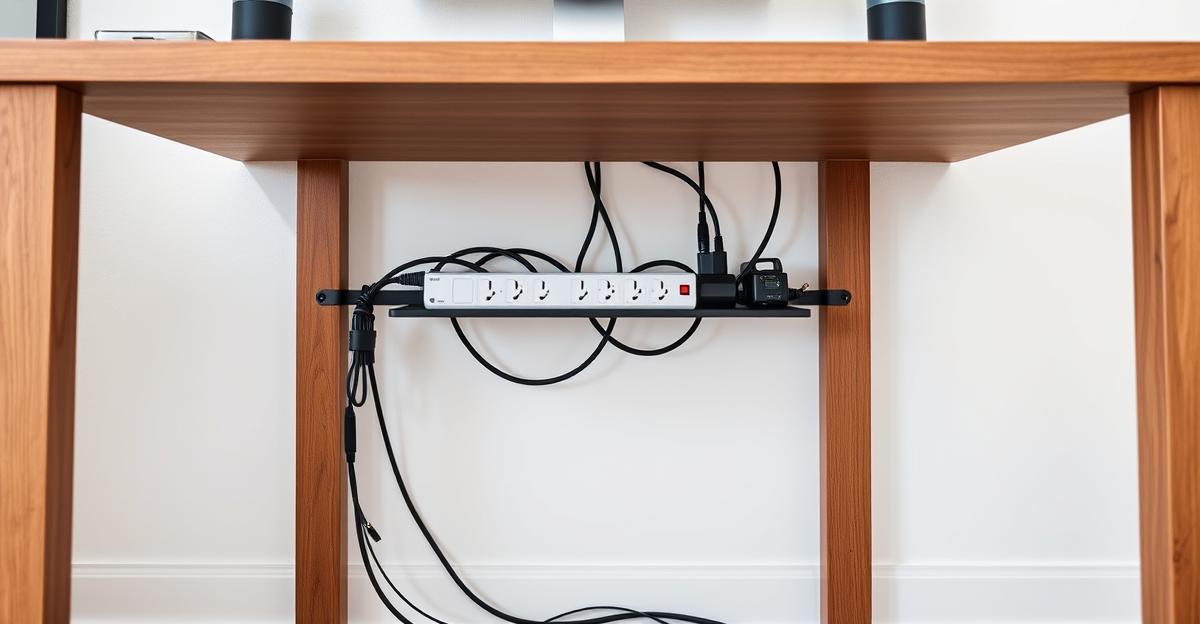
This is where your power strip, adapters, and cable bulk lives. Without a tray, everything hangs loose. Every cable management setup starts here.
Our Pick: PAMO Cable Management Tray, 2-Pack — $35
PAMO Cable Management Tray, 2-Pack — $35
Built like enterprise gear despite the $35 price. Angled "Easy Access" design lets you add and remove cables without disassembling anything. Holds a full-size power strip plus laptop adapters. Two trays means you can separate power cables from data cables. Passed our standing desk stress test — zero sag, zero loosening across 700+ sit-stand transitions.
Check Price on Amazon| Spec | Detail |
|---|---|
| Material | Powder-coated steel (1mm) |
| Dimensions | 17.3" x 4.7" x 4.7" each |
| Mount | Screws (included) |
| Capacity | Power strip + 10-15 cables per tray |
| Standing Desk | Yes — moves with desk |
Pros
- $35 for two trays — unbeatable value
- Angled "Easy Access" design
- Holds full-size power strip + adapters
- Separate power from data cables
- Zero sag across 700+ sit-stand cycles
- Included cable ties for bundling
Cons
- Requires drilling (screws only)
- Cables visible through openings from side
- Not as visually hidden as a closed box
Best bang-for-dollar product in cable management. The angled design is the key differentiator — you can swap cables without unmounting the tray, which matters when you're iterating on an AI workstation setup with frequent cable changes.
Runner-Up: Cinati No-Drill Clamp Tray — $18
Clamps onto desk edges (0.4" to 2.4" thick) — no drilling required. Metal mesh construction with anti-scratch mats. Holds up to 10 lbs.
Pros
- No drilling — renters and glass desks
- Repositionable
- Included cable clips and ties
- $18 is very affordable
Cons
- Clamp adds visible hardware to edge
- Can slip on smooth surfaces during transitions
- Less stable than screw-mounted
- Lower capacity than PAMO
Best no-drill option. Rent your place or refuse to drill into your $600 standing desk? Get this. Functional and stable enough for most setups, though the PAMO's screw-mount is more secure for heavy AI workstation cable loads.
Premium: Univivi 36" No-Drill Fabric Tray — $29
36" long, 600D flame-retardant Oxford fabric. Clamp or screw mounting. Unfolds completely for easy cable loading. Built-in velcro ties.
Pros
- Longest tray tested — covers most of a 48" desk
- Fabric is gentle on cables (no sharp edges)
- Unfolds flat for dramatically easier loading
- Flame retardant — genuine safety feature
Cons
- Fabric can sag under heavy loads
- Not as durable as steel long-term
- Clamp mount protrudes visually
- Can't hold UPS or heavy power bricks
Best option for setups with lots of lightweight cables. The unfolding design makes cable loading genuinely pleasant. Not strong enough for heavy power bricks or UPS units though.
Layer 2: Cable Sleeves (The Biggest Visual Impact)
The vertical run from your desk to the floor is the most visible cable mess. A single sleeve turns 6-10 hanging cables into one clean column. This is the highest-ROI aesthetic upgrade in cable management.
Our Pick: Alex Tech Wire Sleeve, 10ft — $12
Alex Tech Wire Sleeve, 10ft — $12
$12 completely changes how your desk looks from across the room. Cut to exactly the length you need. Split-tube design means you can add or remove individual cables without removing the whole sleeve. Every setup should have one.
Check Price on AmazonRating: 5.0/5 — Cut to length, wrap cables inside, zip closed. Available in black and white. Flexible enough to handle standing desk movement.
Pros
- $12 for a visual transformation
- Cut to exact length needed
- Split-tube design for easy cable access
- Looks professional
- Survives standing desk movement
Cons
- Need to cut with scissors
- Can look bulky with too many thick cables
This is the product we recommend most often. $12 completely changes how your desk looks from across the room. Every setup should have one.
Layer 3: Cable Spine for Standing Desks (Movement Management)
If you have a standing desk, you need something that compresses and extends as the desk moves. A cable spine (also called cable chain or cable snake) guides cables through segmented channels that flex with the desk height.
Our Pick: FlexiSpot Cable Management Spine — $26
FlexiSpot Cable Management Spine — $26
Vertebrae-style segmented spine. Attaches to desk frame at top and floor/wall at bottom. Each segment pivots to accommodate height changes. Without a spine, your cable sleeve bunches at the floor or pulls taut at full height.
Check Price on AmazonPros
- Clean black segments blend with desk frames
- Accommodates full 22"-50" height range
- Holds 6-8 cables comfortably
- Top and bottom mounting brackets included
- Maintains clean look at every position
Cons
- Fiddly to load cables through segments
- Segments can pop apart if overstuffed
- Thick cables (power bricks) don't fit inside
- Only needed for standing desks
Essential for standing desks. Without a spine, your cable sleeve bunches at the floor or pulls taut at full height. The spine maintains a clean look at every desk position.
Layer 4: Velcro Ties & Cable Clips (The Detail Work)
JOTO Velcro Cable Ties, 50-Pack — $8
Reusable, adjustable, and they don't damage cables. Use these at every connection point to bundle cables leaving your tray. Never use zip ties — they're permanent, they can damage cable insulation, and you will cut them off within a month when you need to re-route.
3M Command Cable Clips, 4-Pack — $6
Adhesive-backed clips that route individual cables along the underside of your desk or along the wall. Use for "last mile" routing — the final run from tray to device. 3M adhesive holds reliably on wood, laminate, and metal desk surfaces.
Layer 5: Floor Cable Box (The Finisher)
Our Pick: Baskiss Cable Management Box — $16
Hides your power strip, excess cable slack, and (if small enough) your UPS at the base of your desk. Ventilation slots. Hinged lid for easy access. Available in white, black, and wood grain.
Pros
- Turns cable pile into a clean box
- Ventilation slots prevent overheating
- Hinged lid for easy adjustments
- Multiple cord exit slots
- Available in multiple colors
Cons
- Won't fit large UPS units
- Plastic construction feels lightweight
- CyberPower CP1500AVRLCD doesn't fit inside
Great finisher for hiding the inevitable cable pile at floor level. For AI setups with a UPS, put the UPS next to the box (not inside) and route cables through the box's exit slots.
Premium: BTOD Ultimate Cable Management Box — ~$200
BTOD Ultimate Cable Management Box — ~$200
The only cable management box we found that can hold a full power strip, multiple power bricks, an ethernet switch, AND cable slack in one enclosure. Designed specifically for standing desks — it mounts to the desk frame and moves with it. Professional-grade build quality.
Check Price on AmazonExpensive, but if you want a single product that replaces most of the other items on this list, BTOD is it. Their cable management guide and instructional videos are also excellent resources.
AI Workstation Cable Strategy
AI home offices have specific cable challenges beyond normal setups:
More power cables. Mac Mini + UPS + monitor + peripherals = 4-6 power cables vs. the typical 2-3. Use a 12-outlet power strip (not 6) to avoid cascading power strips.
Ethernet. Wi-Fi adds latency to local AI inference. Run a flat Cat6 cable from your router to your Mac Mini. Flat cables route more cleanly under baseboards and through cable trays. A 25ft Cat6 flat cable costs $8 and eliminates Wi-Fi inconsistency.
Thunderbolt/USB-C. If your Mac Mini drives a monitor via USB-C/Thunderbolt, these cables are thicker and stiffer than HDMI. Route them first through your cable tray — they don't bend well, so they set the layout for everything else.
Standing desk + always-on server. If your Mac Mini mounts under the desk, it moves with the desk. All cables connecting it to the floor (power, ethernet) need the extra slack that a cable spine provides.
Recommended Power Strip for AI Setups
CyberPower CSP1206T ($25) — 12 outlets, flat plug, 6ft cord, right-angle outlets that don't block adjacent plugs. Fits perfectly inside the PAMO cable tray.
The Complete $77 Cable Management Kit
| Product | Price | Purpose |
|---|---|---|
| PAMO Cable Tray 2-Pack | $35 | Foundation — holds power and cables |
| Alex Tech Cable Sleeve 10ft | $12 | Vertical cable run |
| FlexiSpot Cable Spine | $26 | Standing desk movement |
| JOTO Velcro Ties 50-Pack | $8 | Bundle at connection points |
| 3M Command Cable Clips | $6 | Last-mile routing |
| Baskiss Cable Box | $16 | Floor cable hiding |
| TOTAL | $103 |
For fixed (non-standing) desks, drop the cable spine ($26) and you're at $77.
Start With the PAMO Tray on Amazon
Before & After: What $77 Actually Does
We won't pretend a description matches seeing it in person, but the difference is dramatic.
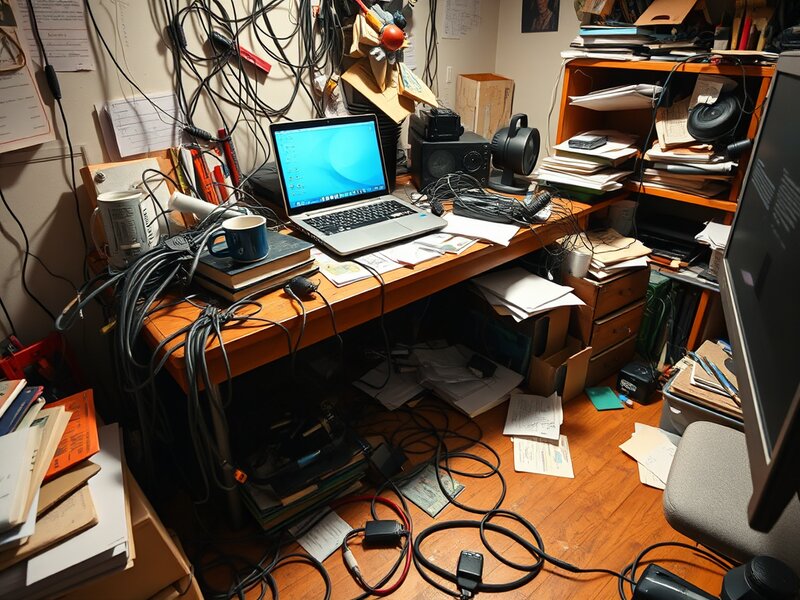
The desk you pretend guests don't see

After $77 and one afternoon
Before: A typical home office desk has 8-12 visible cables hanging from desk to floor, a power strip sitting on the carpet collecting dust, and a tangle of excess cable slack pooled at the baseboards.
After: Zero visible cables from the front or sides of the desk. Power strip hidden inside the cable tray. One clean cable sleeve running from desk to floor. Cable box hiding the remaining slack at floor level. The desk looks like it has no cables at all.
The before/after transformation is why cable management content goes viral on TikTok — it's satisfying in a way that few home upgrades can match.
Shop Cable Management on Amazon
Related Articles
Frequently Asked Questions
Should I use adhesive or screws for cable trays?
Screws if you own the desk and want bulletproof stability. Adhesive or clamp-mount if you rent or have a glass desk. For standing desks, screws are strongly recommended — the repeated motion can weaken adhesive over time.
How often do you need to redo cable management?
If done properly with velcro ties (not zip ties), you only redo it when you add or replace devices. Our test setup has been untouched for two months since initial installation.
Will cable management work with a standing desk?
Yes, with the cable spine. The spine is the critical piece — without it, cables pull taut at full height and bunch at sitting height. With it, everything stays clean at every position.
What about going fully wireless?
Wireless reduces cables but doesn't eliminate them. You still have power cables for every device, and for AI setups, wired ethernet is recommended for latency. Cable management is relevant even in a heavily wireless setup.
What is the best cable management for renters?
Cinati no-drill clamp tray ($18) + cable sleeve ($12) + velcro ties ($8) = $38, zero holes in anything. The clamp tray attaches to your desk edge without screws and is completely removable.
How much does complete cable management cost?
You can go from cable chaos to clean setup for $35-$80. The essential kit (PAMO tray + velcro ties) is just $35. The complete kit with cable sleeve, spine, clips, and floor box is $77 for fixed desks or $103 for standing desks.
Get our best setup tips and product picks each week.
Get the free newsletter →