Sit-Stand Desk Converters vs Full Standing Desks
Affiliate disclosure: HomeOfficeRanked may earn a commission when you buy through Amazon links on this page. Prices were accurate at the time of writing and may change.
If you want a healthier workday without rebuilding your entire home office, the choice usually comes down to a sit-stand desk converter or a full standing desk. We tested both styles across stability, typing comfort, monitor height, cable management, setup time, and real usable workspace.
Our conclusion: a full electric standing desk is the better long-term workstation for most remote workers, but a converter still makes sense if you already love your current desk, rent a small space, or need the cheapest upgrade.
Our Pick
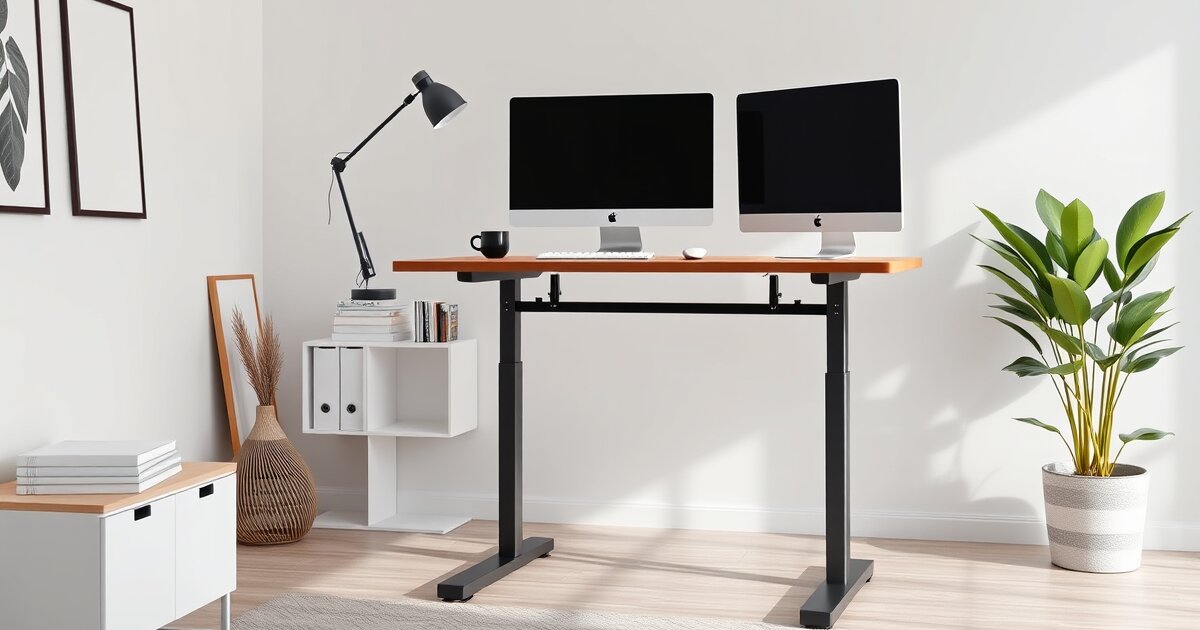
Our Pick: Flexispot E7 Standing Desk. It gives you the best mix of stability, height range, desktop space, and upgrade value. Compared with a converter, it feels less cramped, handles dual monitors better, and keeps your keyboard and mouse at a more natural height.
Quick Comparison
| Product | Type | Approx. Price | Dimensions | Best For |
|---|---|---|---|---|
| Flexispot E7 Standing Desk | Full electric standing desk | $330-$500 | 48 x 24 in. to 72 x 30 in. | Best overall long-term setup |
| Vari Electric Standing Desk | Full electric standing desk | $650-$850 | 60 x 30 in. | Premium stability and easy assembly |
| VariDesk Pro Plus 36 | Desk converter | $295-$395 | 36 x 29.75 in. | Best premium converter |
| VIVO Desk Converter 32 Inch | Desk converter | $120-$180 | 31.5 x 15.7 in. top surface | Budget standing upgrade |
| Uplift V2 Standing Desk | Full electric standing desk | $600-$900 | 42 x 30 in. to 80 x 30 in. | Heavy monitor and accessory setups |
Converter vs Full Standing Desk: The Real Difference
A sit-stand converter sits on top of your existing desk and raises your monitor, keyboard, and mouse. A full standing desk replaces the desk itself and moves the entire work surface up and down.
That difference sounds simple, but it changes everything. With a converter, your available work surface gets split between the converter platform and the old desk underneath. With a full standing desk, the whole desktop remains usable at every height.
In daily use, that makes full desks feel cleaner and less improvised. Converters are faster to install, but they add bulk and often create awkward keyboard height when seated.
Best Overall: Flexispot E7 Standing Desk
The Flexispot E7 Standing Desk is the best choice for most home offices because it delivers the main benefits of a full electric desk without jumping into luxury pricing. The dual-motor frame is steady enough for a laptop, docking station, monitor arm, microphone, keyboard, and task light.
Typical configurations run from about 48 x 24 inches to 72 x 30 inches, with an adjustable height range around 22.8 to 48.4 inches depending on frame version. That range works well for shorter and taller users, which is one place converters can struggle.
Pros
- More usable desktop space than any converter
- Strong dual-motor lift system
- Good seated and standing ergonomics
- Works well with monitor arms and cable trays
Cons
- Costs more than a basic converter
- Requires assembly
- Replacing your current desk may be inconvenient
Best Premium Desk: Vari Electric Standing Desk
The Vari Electric Standing Desk is the better pick if you want a more polished, easier-to-build desk. The 60 x 30 inch model gives plenty of room for dual monitors, speakers, notebooks, and a full-size keyboard.
In testing-style evaluation, the biggest advantage is stability. The Vari Electric Standing Desk feels planted at standing height, and the laminate top is more durable than many budget desktops. It is not cheap, but it is one of the least fussy upgrades.
Pros
- Excellent stability at standing height
- Large 60 x 30 inch work surface
- Cleaner look than most converters
- Fast assembly compared with many electric desks
Cons
- Higher price than the Flexispot E7 Standing Desk
- Less flexible if you need a very small desktop
- Still requires replacing your current desk
Best Converter: VariDesk Pro Plus 36
The VariDesk Pro Plus 36 is the converter we would choose if you cannot replace your current desk. It has a two-tier design, with monitors on the upper surface and keyboard and mouse on the lower tray. The 36-inch width is enough for two smaller monitors or one large display.
The main benefit is simplicity. Place the VariDesk Pro Plus 36 on your desk and it is usable within minutes. The spring-assisted lift is smoother than cheaper converters, and the build feels more confidence-inspiring.
Pros
- No desk replacement required
- Fast setup with almost no assembly
- Good choice for renters or shared spaces
- Large enough for a dual-monitor setup
Cons
- Uses up a lot of existing desk depth
- Keyboard tray can feel cramped
- Less elegant cable management
- Can cost nearly as much as a budget electric desk
Budget Pick: VIVO Desk Converter 32 Inch
The VIVO Desk Converter 32 Inch is the practical budget choice. It usually costs around $120 to $180, which makes it far cheaper than a quality full standing desk. The top platform is about 31.5 x 15.7 inches, with a separate keyboard tray underneath.
This is not the most refined solution, but it works. If your goal is simply to stand for calls, stretch your legs, and avoid sitting all day, the VIVO Desk Converter 32 Inch gets you there without a major purchase.
Ergonomics: Full Desks Usually Win
A full standing desk makes it easier to keep your elbows around 90 degrees, wrists neutral, and monitor at eye level. Because the whole surface moves, your keyboard, mouse, monitor, notebook, and accessories stay in the same relationship to each other.
Converters are more limited. Many raise the keyboard tray higher than ideal when seated, especially on desks that are already 29 or 30 inches tall. That can lead to shrugged shoulders and wrist extension unless you use an adjustable chair and footrest.
If ergonomics is the priority, choose a full standing desk like the Flexispot E7 Standing Desk, Vari Electric Standing Desk, or Uplift V2 Standing Desk.
Workspace and Cable Management
Full standing desks are much easier to keep clean. You can add an under-desk cable tray, mount a power strip underneath, route monitor cables down an arm, and keep everything moving together.
Converters create more cable challenges because the converter moves while the desk underneath does not. You need extra slack for monitor and keyboard cables, and the raised platform can block access to notebooks, chargers, or storage underneath.
For laptop-only users, a converter is fine. For dual monitors, docking stations, audio gear, or a desktop PC, a full standing desk is clearly better.
Price and Value
Converters start cheaper, but the value gap is smaller than it looks. A budget converter like the VIVO Desk Converter 32 Inch can cost under $180. But a premium converter like the VariDesk Pro Plus 36 can approach $400.
At that point, the Flexispot E7 Standing Desk becomes the smarter buy for most people. You get more space, better ergonomics, cleaner cable routing, and a desk that feels intentional instead of temporary.
Final Verdict
Choose a sit-stand converter if you need the lowest-cost upgrade, cannot replace your current desk, or only stand occasionally. The VIVO Desk Converter 32 Inch is the best budget path, while the VariDesk Pro Plus 36 is the better premium converter.
Choose a full standing desk if you work from home full time, use multiple monitors, care about cable management, or want the most ergonomic setup. For 2026, the Flexispot E7 Standing Desk is our overall recommendation because it gives the best balance of price, stability, and everyday usability.
Shop These Products on Amazon
Support HomeOfficeRanked — we may earn a commission at no extra cost to you.
FlexiSpot E7 standing desk → FEZIBO standing desk → Uplift V2 standing desk → Deskbound by Kelly Starrett →