Best Monitor Light Bars for Reducing Eye Strain (2026)
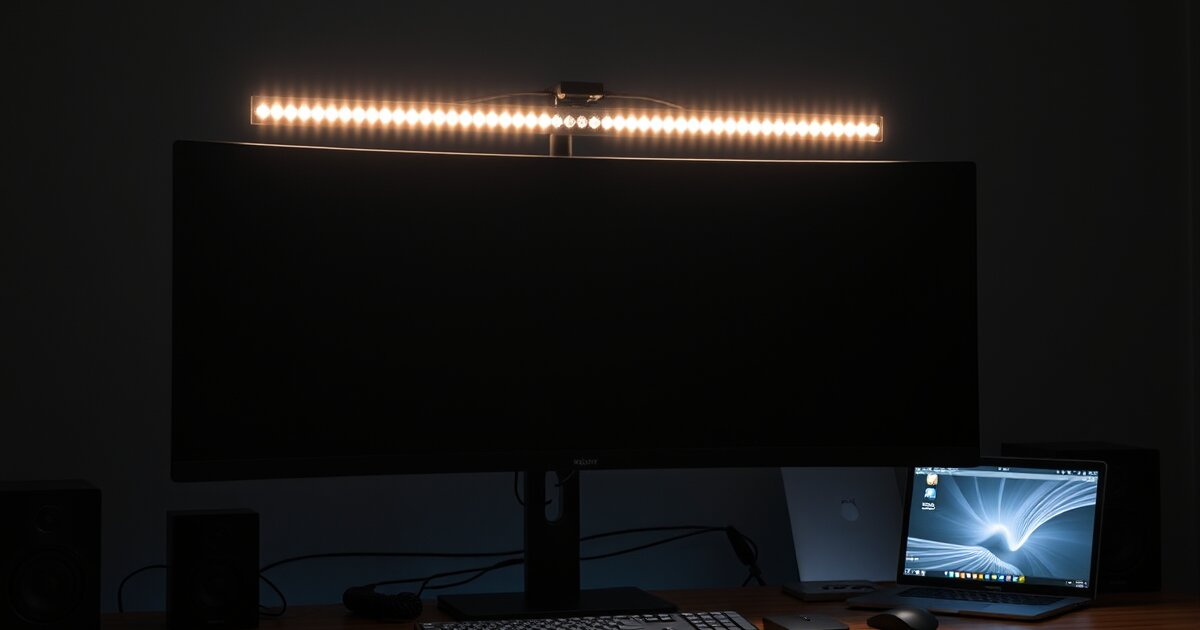
A monitor light bar is the most underrated desk accessory. For $30-100, it eliminates screen glare, reduces eye strain, lights your desk for paper work, and takes up zero desk space. If you spend 4+ hours at your screen daily, this is a must-have.
Quick Comparison
| Light Bar | Price | Brightness | Color Temp | Rating |
|---|---|---|---|---|
| BenQ ScreenBar Halo | $179 | 500 lux | 2700-6500K | ⭐ 9.5/10 |
| BenQ ScreenBar | $109 | 500 lux | 2700-6500K | ⭐ 9.2/10 |
| Xiaomi Monitor Light Bar | $55 | 400 lux | 2700-6500K | ⭐ 8.8/10 |
| Quntis Monitor Light | $36 | 350 lux | 3000-6500K | ⭐ 8.2/10 |
| Baseus Monitor Light | $28 | 300 lux | 3000-6500K | ⭐ 7.8/10 |
1. BenQ ScreenBar Halo — Best Overall ($179)
The BenQ ScreenBar Halo is the gold standard. Its backlight feature (rear-facing LEDs) creates a bias light behind your monitor, which further reduces eye strain. The wireless remote controller lets you adjust brightness and color temperature without touching the light bar.
The asymmetric optical design is what makes BenQ special — it illuminates only your desk, not your screen. Zero glare, perfectly even light distribution. The auto-dimming sensor adjusts brightness based on ambient light conditions.
2. BenQ ScreenBar — Best Standard ($109)
If you don't need the backlight feature and wireless remote, the standard BenQ ScreenBar at $109 delivers the same excellent asymmetric light design. Touch controls on the light bar itself adjust brightness and color temperature. Same build quality, same zero-glare optics.
3. Xiaomi Monitor Light Bar — Best Value ($55)
At nearly half the price of BenQ, the Xiaomi light bar delivers 85% of the performance. The wireless remote is a nice touch (rotate for brightness, press for color temp), and the build quality is solid aluminum. It's the sweet spot of price and quality.
4. Quntis Monitor Light Bar — Best Budget ($36)
The Quntis is the best-selling budget light bar for good reason. At $36, it provides adjustable brightness (3 levels) and color temperature, USB-powered operation, and no-glare asymmetric design. It's not as refined as BenQ or Xiaomi, but it gets the job done.
5. Baseus Monitor Light Bar — Cheapest Option ($28)
If you just want to try a monitor light bar without committing much money, the Baseus at $28 is the entry point. Touch controls, adjustable color temperature, USB-C powered. The light distribution isn't as even as pricier options, but it's a huge upgrade over no light bar at all.
How to Choose a Monitor Light Bar
- Asymmetric design: Essential. The light should illuminate your desk, not your screen. All picks above have this.
- Color temperature range: 2700K (warm) to 6500K (cool) is ideal. Use warm light at night, cool light during the day.
- Brightness: 300+ lux is adequate. 500 lux is ideal for detailed paper work.
- Power: USB-powered is standard. Most monitors have a USB port on the back — use that for a clean setup.
- Monitor compatibility: Check your monitor's top bezel thickness. Most light bars need 0.4"+ of bezel to clamp onto.
📚 Related Articles
Get our best setup tips and product picks each week.
Get the free newsletter →