Home Office Lighting Guide: Reduce Eye Strain and Boost Focus
Last updated: February 14, 2026 · Prices may vary
📋 Table of Contents
- Why Office Lighting Matters More Than You Think
- The Three Layers of Office Lighting
- Monitor Light Bars — The #1 Upgrade
- Best Desk Lamps for Eye Comfort
- Ambient & Bias Lighting
- Maximizing Natural Light
- Color Temperature: The Science
- 5 Common Lighting Mistakes
- Recommended Lighting Setups by Budget
- FAQ
You've spent hundreds on a good chair and a sharp monitor. But if your home office lighting is wrong, you're still going to end the day with tired eyes, headaches, and that foggy 4 PM feeling.
Lighting is the most underrated factor in home office ergonomics. Bad lighting forces your eyes to constantly adapt to different brightness levels — from a glowing screen to dark surroundings — which causes eye strain faster than any screen resolution or refresh rate issue.
This guide covers everything: the science behind eye-friendly lighting, the three types of light every home office needs, specific product recommendations, and setup tips for every budget.
Why Office Lighting Matters More Than You Think
Your eyes have pupils that expand and contract to adjust to light levels. When your monitor is bright but your room is dark, your pupils are caught between two extremes. They can't fully constrict (bright screen) or dilate (dark room), so they oscillate — a phenomenon called pupillary hippus. This constant micro-adjustment is exhausting and is the primary cause of computer-related eye fatigue.
The fix isn't turning your monitor down or your room lights up to maximum. It's about reducing the contrast ratio between your screen and its surroundings. Research from the American Academy of Ophthalmology suggests the brightness ratio between your monitor and the immediate background should be no more than 3:1.
Good lighting also affects your circadian rhythm, mood, and cognitive performance. Studies consistently show that workers in well-lit environments with access to natural light report higher focus, better mood, and less afternoon fatigue. This isn't placebo — it's photobiology.
The Three Layers of Office Lighting
A well-lit home office uses three complementary light sources. Think of them as layers that work together:
1. Task Lighting (Direct)
Focused light on your work surface — your desk lamp or monitor light bar. This illuminates documents, notebooks, and your keyboard without creating screen glare. Task lighting should provide 300–500 lux at desk level.
2. Ambient Lighting (General)
The overall room illumination from ceiling lights, floor lamps, or natural light through windows. Ambient lighting fills the room so your desk isn't an island of light in a dark cave. Target 150–300 lux of general room illumination.
3. Bias Lighting (Behind the Screen)
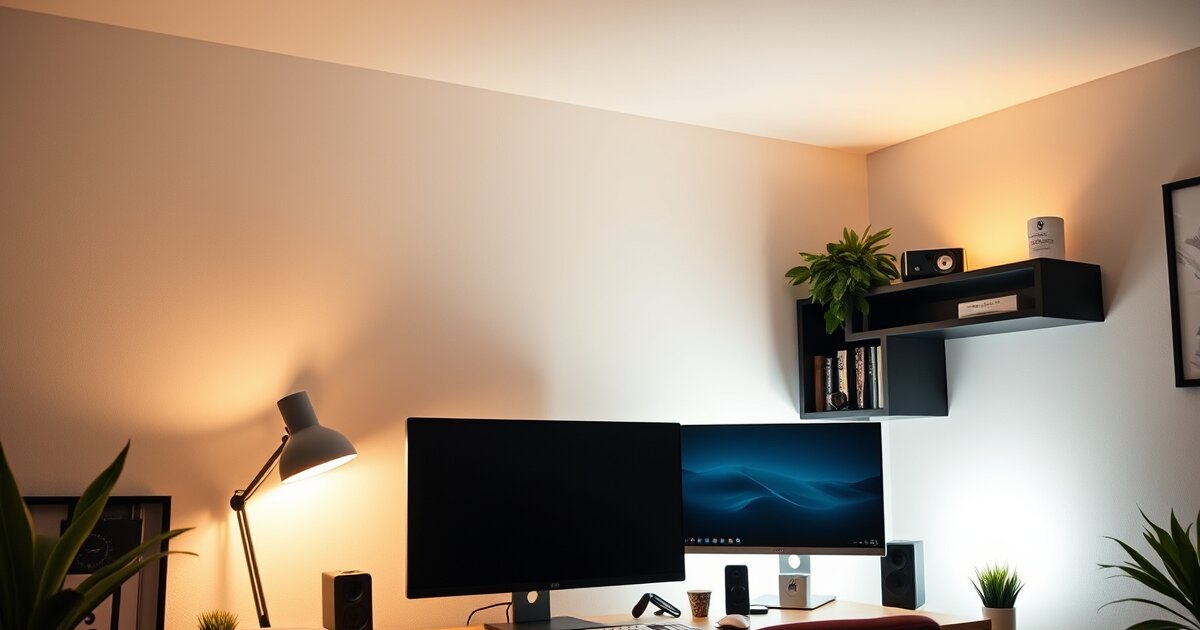
A soft light placed behind your monitor that illuminates the wall. This reduces the extreme contrast between the bright screen and the dark wall behind it. It's the single most effective way to reduce eye strain, and it costs as little as $15 with an LED strip. Target a soft, warm glow (2700K–4000K) at about 10–20% of your monitor's brightness.
Most home offices have only ambient lighting — a ceiling light that casts unflattering shadows and creates glare. Adding task lighting and bias lighting transforms the experience.
Monitor Light Bars — The #1 Lighting Upgrade
If you make one lighting change to your home office, make it this: buy a monitor light bar. It mounts on top of your monitor and casts an asymmetric beam of light downward onto your desk — illuminating your workspace without putting any light on the screen itself.
This solves two problems simultaneously: it provides task lighting for your desk, and it reduces the brightness gap between your screen and surroundings. The effect on eye comfort is immediate and dramatic.
BenQ ScreenBar Halo
The BenQ ScreenBar Halo is the gold standard. It includes a backlight that illuminates the wall behind your monitor (built-in bias lighting), a wireless controller puck, an auto-dimming sensor, and adjustable color temperature (2700K–6500K). The asymmetric optical design puts zero glare on your screen. It's not cheap at $179, but it replaces both a desk lamp and bias lighting in one device.
📸 Professional product photography
Best Monitor Light Bars Compared
| Light Bar | Best For | Back Light | Auto-Dim | Price |
|---|---|---|---|---|
| BenQ ScreenBar Halo | 🏆 Best Overall | Yes | Yes | $179 |
| BenQ ScreenBar | Best No-Frills | No | Yes | $109 |
| Quntis Monitor Light Bar | Best Budget | No | Yes | $35–$45 |
| Xiaomi Mi Light Bar | Best Value | No | No | $55–$65 |
| Yeelight Monitor Light Bar Pro | Best Smart Home | No | Yes | $69 |
Budget pick: The Quntis monitor light bar at $35–$45 is shockingly good for the price. The auto-dimming sensor works, the asymmetric beam is effective, and the build quality is solid. It lacks the BenQ's backlight and wireless controller, but for pure desk illumination, it's 80% of the performance at 25% of the price.
Best Desk Lamps for Eye Comfort
A good desk lamp is still essential if you work with physical documents, take handwritten notes, or need adjustable light positioning. The best desk lamps for office use share these features:
- Adjustable color temperature (2700K–6500K) so you can match your room lighting
- Adjustable brightness with multiple levels or continuous dimming
- Flicker-free LED — cheap LEDs with PWM dimming cause invisible flicker that fatigues your eyes
- Wide, even beam — spotlights create harsh shadows; a wide head distributes light evenly
- Articulating arm so you can position light where you need it without glare on your screen
Our Top Desk Lamp Picks
| Lamp | Best For | Color Temp | Price |
|---|---|---|---|
| BenQ e-Reading Desk Lamp | 🏆 Best Overall | 2700K–5700K | $199 |
| TaoTronics TT-DL16 | Best Value | 2700K–6500K | $45–$55 |
| Dyson Solarcycle Morph | Best Premium | 2700K–6500K | $649 |
| IKEA TERTIAL + Smart Bulb | Best Budget | Varies (bulb) | $15–$30 |
| Phive LED Architect Lamp | Best Wide Coverage | 3000K–6000K | $55–$65 |
TaoTronics TT-DL16
The TaoTronics TT-DL16 delivers 90% of the features of the BenQ desk lamp at a fraction of the price. Adjustable color temperature, 5 brightness levels, a wide LED head that covers a large desk area, and a USB charging port in the base. The articulating arm has smooth, stay-in-place joints. For under $55, it's an exceptional value.
📸 Professional product photography
Ambient & Bias Lighting
Bias Lighting: The $15 Eye Strain Fix
Bias lighting is a strip of LEDs placed behind your monitor, facing the wall. It creates a soft halo of light that dramatically reduces the perceived contrast between your bright screen and dark surroundings. It's the cheapest and most impactful lighting upgrade you can make.
How to set it up:
- Buy a USB-powered LED strip (6500K for color-accurate work, or warm white 3000K–4000K for general comfort)
- Clean the back of your monitor with isopropyl alcohol
- Stick the LED strip around the back edge of your monitor, forming a rectangle
- Plug the USB into your monitor's USB port (it turns on/off with your monitor)
- Adjust brightness so the wall glow is visible but not distracting — about 10–20% of your screen brightness
Our recommendation: The Luminoodle Bias Lighting ($15–$25) is purpose-built for monitors, comes in the right length, and is powered by USB. The BenQ ScreenBar Halo has bias lighting built in if you want an all-in-one solution.
Room Ambient Lighting
Your ceiling light alone usually isn't enough — and it's often too harsh. Here are better options:
- Floor lamp with diffuser: A tall floor lamp with a fabric shade provides soft, even room light without the harshness of exposed bulbs. Place it behind or beside your desk, not in front (to avoid glare on your screen).
- Smart bulbs in existing fixtures: Replace your ceiling bulbs with tunable smart bulbs (Philips Hue, LIFX, Wyze) so you can adjust color temperature throughout the day — cool white in the morning, warm in the evening.
- LED light panels: Wall-mounted LED panels like the Nanoleaf Lines or LIFX Beam provide diffused ambient light that bounces off walls. They're pricier but create excellent even illumination.
Maximizing Natural Light
Natural light is the best light for your home office — but only if you manage it correctly. Direct sunlight on your screen creates impossible glare. Direct sunlight on your face causes squinting and uneven lighting. The goal is bright, indirect natural light.
Desk Positioning
The ideal position is with your desk perpendicular to the window — so natural light comes from the side. This avoids glare on your screen (window behind you) and avoids squinting (window in front of you). If you're on video calls frequently, side lighting also looks the most flattering on camera.
Window Treatments
Sheer curtains or adjustable blinds let you control the intensity of natural light throughout the day. Blackout curtains are overkill for most setups — you want to diffuse sunlight, not eliminate it. Cellular (honeycomb) shades are excellent for filtering light while maintaining privacy.
Light Shelf Trick
If your window gets direct sun, place a white shelf or reflective surface at window height. It bounces sunlight up to the ceiling, which then reflects soft, diffused light throughout the room. Interior designers call this a "light shelf" — it's a simple hack that transforms harsh direct light into pleasant ambient light.
Color Temperature: The Science You Need to Know
Color temperature is measured in Kelvin (K) and describes the "warmth" of light:
- 2700K (warm white): Cozy, yellowish glow. Like candlelight. Best for evening and relaxation.
- 3000K–3500K (soft white): Standard home lighting. Comfortable and relaxed.
- 4000K–4500K (neutral white): Balanced, natural feeling. Excellent for focused work.
- 5000K (daylight): Bright, energizing. Good for morning work and color-accurate tasks.
- 6500K (cool daylight): Bluish-white. Standard for color calibration. Too harsh for extended general use.
Our recommendation: Use 4000K–5000K during the daytime for focused work, and switch to 2700K–3000K in the evening to reduce blue light exposure before sleep. This isn't just about comfort — blue light in the 4600K–6500K range suppresses melatonin production and disrupts your circadian rhythm.
If your lights don't have adjustable color temperature, choose 4000K as a single-temperature compromise. It's neutral enough for focused work without being harsh enough to disrupt evening melatonin production significantly.
5 Common Home Office Lighting Mistakes
1. Only Using Overhead Lighting
A single ceiling light creates harsh shadows, uneven illumination, and often glare on your monitor. It's the worst-case lighting scenario for desk work. Layer in task lighting and bias lighting to balance things out.
2. Monitor Too Bright, Room Too Dark
This is the #1 cause of eye strain. Working on a bright monitor in a dark room forces your eyes to constantly adjust between extreme brightness levels. Always have ambient room light on when using a screen. Even a dim lamp is better than total darkness.
3. Desk Facing a Window
A window directly behind your monitor creates a massive backlight that your eyes try to compete with. A window directly in front of you causes glare on your screen and squinting. Position your desk perpendicular to windows.
4. Using Cool White Light at Night
Working under 5000K+ light after sunset suppresses melatonin and disrupts your sleep schedule. Switch to warm light (2700K–3000K) after 7 PM, or use night mode on adjustable fixtures. Your sleep quality will improve noticeably.
5. Ignoring Flickering LEDs
Cheap LED bulbs and desk lamps use PWM (pulse-width modulation) to dim — they're actually flickering on and off rapidly. Some people are sensitive to this and experience headaches or eye fatigue without knowing the cause. Look for "flicker-free" or "DC dimming" lamps, and avoid the cheapest no-name LED bulbs.
Recommended Lighting Setups by Budget
Budget Setup ($30–$60)
- Quntis Monitor Light Bar — $35
- Luminoodle USB Bias Lighting Strip — $15
- Total: ~$50
This covers task lighting and bias lighting — the two most impactful layers. Pair with whatever ambient room light you already have. For most people, this is enough to dramatically reduce eye strain.
Mid-Range Setup ($100–$200)
- BenQ ScreenBar (standard) — $109
- Luminoodle Bias Lighting — $15
- TaoTronics TT-DL16 Desk Lamp — $50
- Total: ~$175
Full three-layer lighting: monitor light bar for task light, bias strip behind the monitor, and a desk lamp for document work or supplemental lighting. This is the sweet spot for most home offices.
Premium Setup ($250–$400)
- BenQ ScreenBar Halo (includes bias lighting) — $179
- BenQ e-Reading Desk Lamp — $199
- Philips Hue Smart Bulbs (2-pack for ambient) — $50
- Total: ~$400
The full experience: premium light bar with built-in bias lighting, a top-tier adjustable desk lamp, and smart ambient lighting you can tune throughout the day. This setup eliminates eye strain and looks great on video calls.
Frequently Asked Questions
What is the best color temperature for a home office?
4000K–5000K (neutral to cool white) is ideal for focused daytime work. Avoid going above 5000K for extended periods — it feels harsh. In the evening, switch to 2700K–3000K (warm white) to reduce blue light exposure and protect your sleep quality.
Are monitor light bars worth it?
Yes — they're the single most impactful lighting upgrade for a home office. They illuminate your desk without screen glare, reduce the contrast between your bright monitor and dark surroundings, and replace the need for a traditional desk lamp in most setups. Start with a budget Quntis bar ($35) if you're unsure.
How bright should my home office be?
The recommended illuminance for office work is 300–500 lux at desk level. Your monitor should not be dramatically brighter than your surroundings — aim for a ratio of no more than 3:1 between screen brightness and ambient light. You can measure lux with a free smartphone app.
Do I need bias lighting behind my monitor?
Strictly need? No. But it's the cheapest way to reduce eye strain ($15 for a USB LED strip), and the effect is significant. If you work in the evening or in a room without much natural light, bias lighting is almost mandatory for eye comfort.
Should I use warm or cool light for working?
Cool/neutral (4000K–5000K) during the day for alertness and focus. Warm (2700K–3000K) in the evening to protect your circadian rhythm. If you can only choose one temperature, 4000K is the best all-around compromise.
Good lighting transforms a home office from "functional" to "comfortable for 8+ hours." Have questions about your specific setup? Email us — we're happy to help.
Related reads:
- Ergonomic Home Office Setup Guide
- Best Monitors for Working From Home 2026
- Desk Accessories That Boost Productivity
- Best Desk Lamps for Eye Strain
- Best Monitor Light Bar for Home Office
Get our best setup tips and product picks each week.
Get the free newsletter →